More ways to describe what you actually stock and supply
Different metal products need different ways to describe themselves. A round bar needs a diameter, a pipe needs a nominal size and wall thickness, a column section needs a designation like 203UC60. Until now, you had to cram that into notes or leave it blank.
We've added Wall Thickness, Nominal Size, and Section Designation to inventory items and order line items. They show up in the create/edit dialogs, the detail panels, CSV upload/download, and filtering so you can search and sort by them just like any other field. Tag rules can use them too, meaning you can auto-tag your structural sections or pipes by geometry without any manual work.
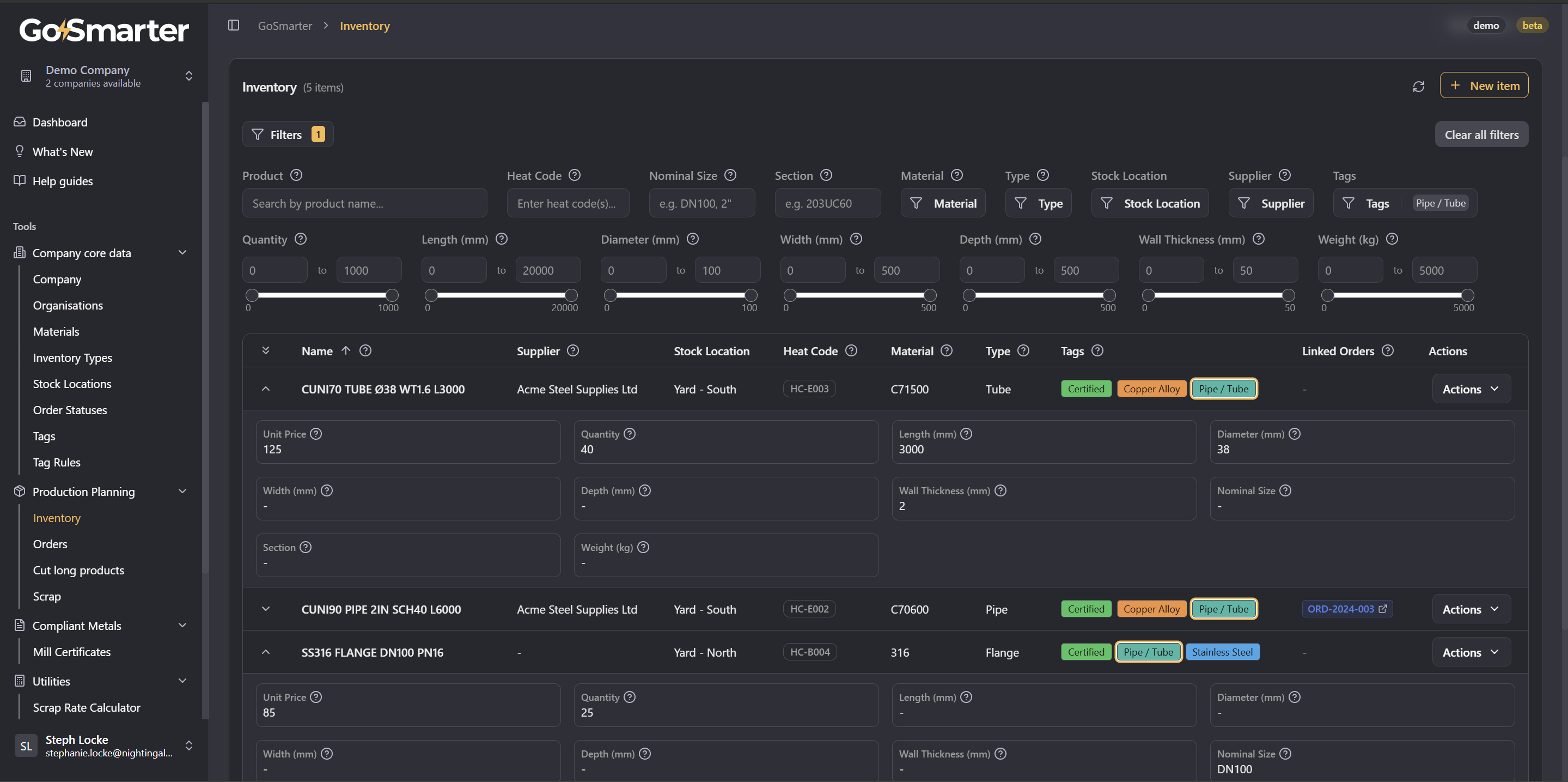
A few tidy-ups came along for the ride: Heat Code is gone from the order form (it's almost never known at order time but you can still import it via CSV), the customer name now shows correctly on the order details page, and on medium-width screens the dimension columns collapse into the expandable row so the action buttons stay visible without scrolling sideways.