Help when you want it
Especially when you're starting out with using a new system, you need a tutorial. Once you're used to it, you want the help text etc to get the heck out of your way and let you focus on the task at hand.
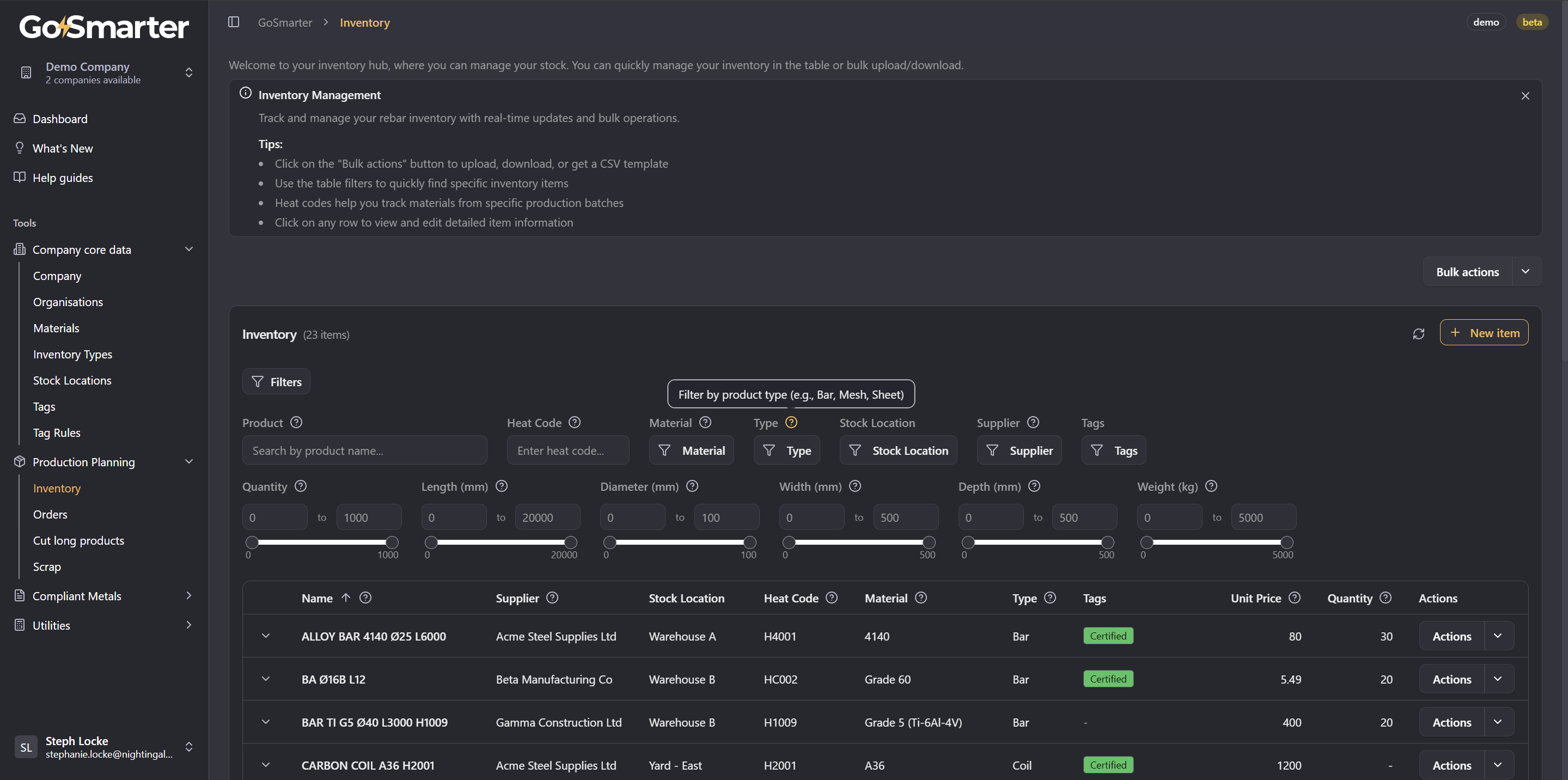
With this in mind, we've now added Tutorial Mode to the application. This provides top-level and field-level help text so you can get familiar with each screen and piece of information in the application.
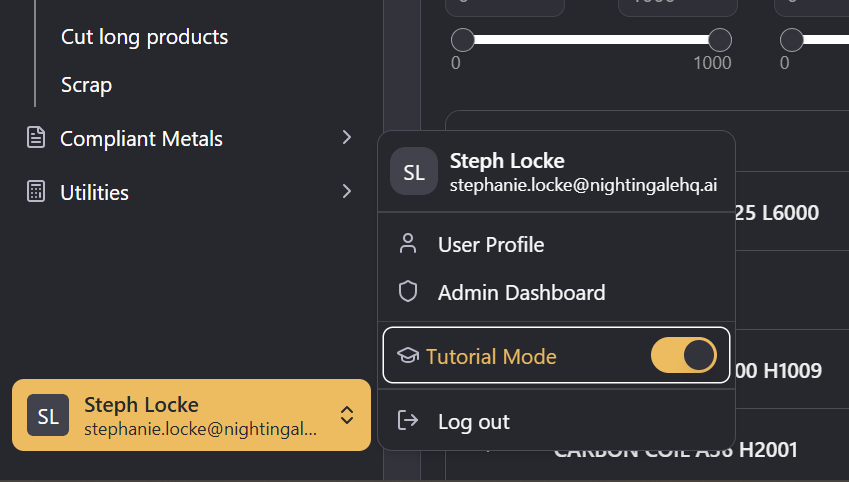
Tutorial mode will be on by default but can be easily turned off by pressing an X on a screen summary or by using the toggle in your user area. When it's gone, the tool tips and summary cards will disappear and give you a clean, uninterrupted view.
We hope that Tutorial Mode alongside the in-app help guides (also available at guides.gosmarter.ai) and documentation will help you be productive. If you have any issues, however, you can always reach out to us at support@gosmarter.ai