Generate branded material test certificates from your mill certs
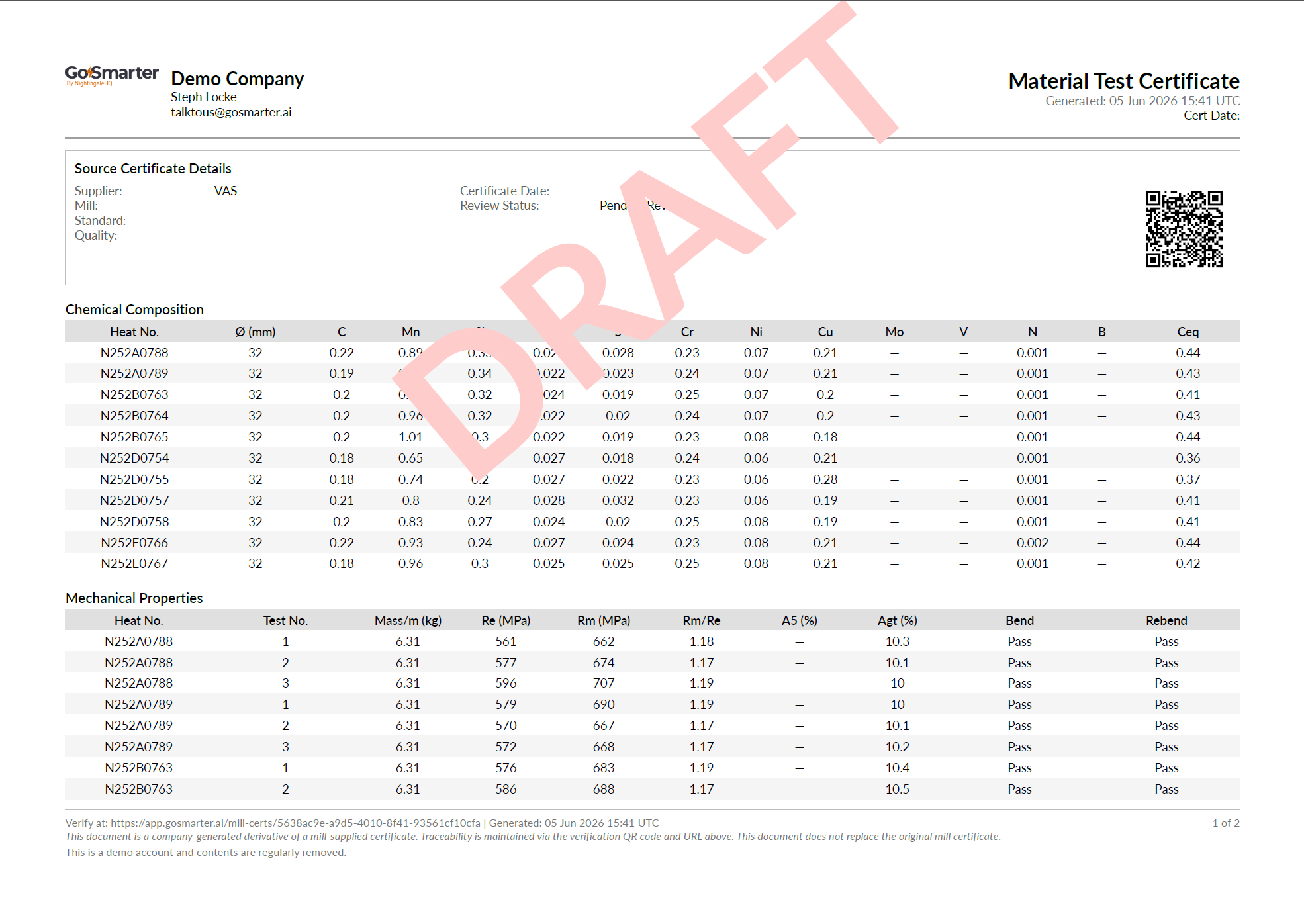
When a customer asks for a material test certificate, you need it to look like it came from you including your logo, your contact details, your registration number, not from the original mill. Until now, that meant exporting the raw mill cert and reformatting it manually.
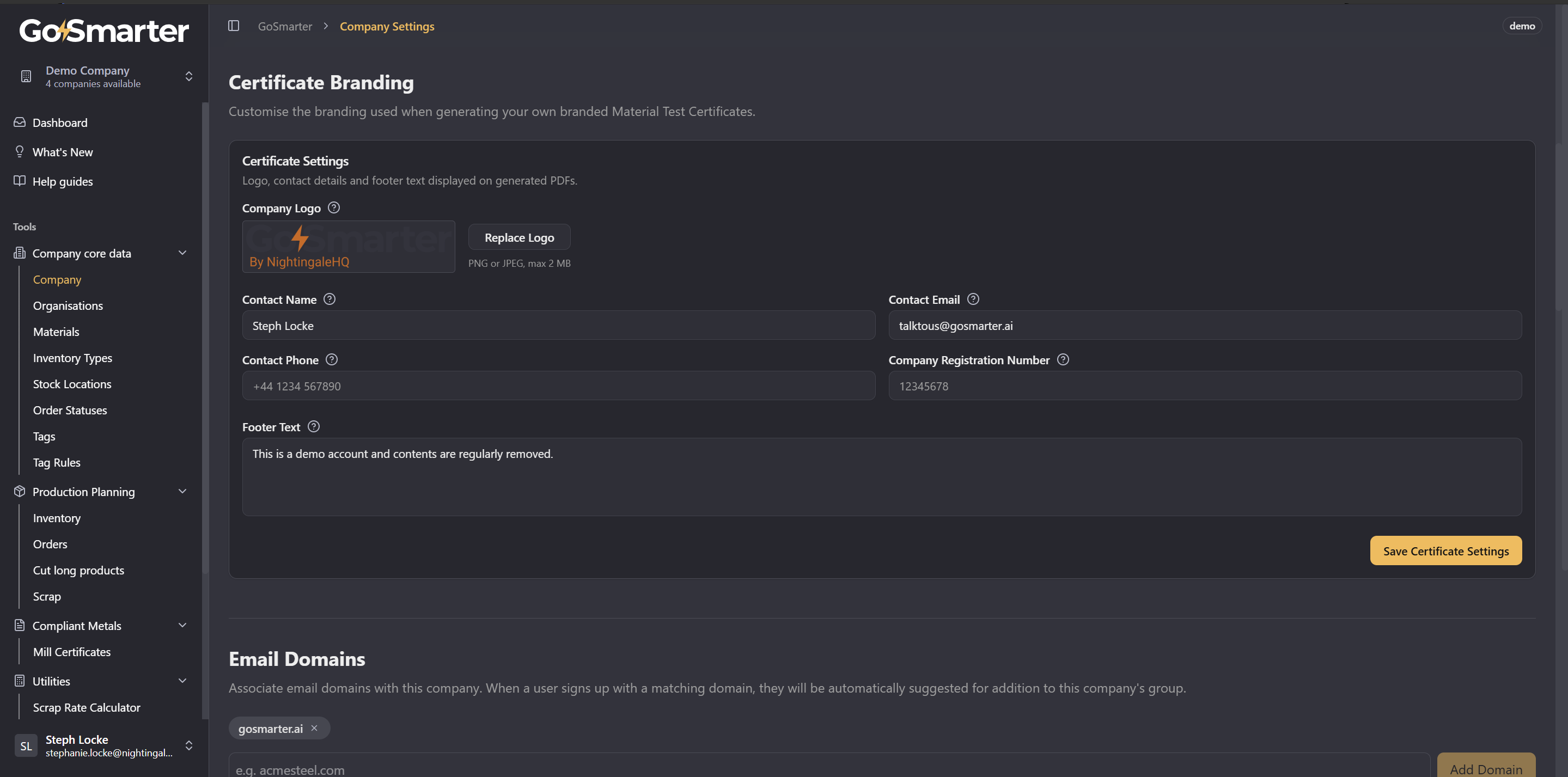
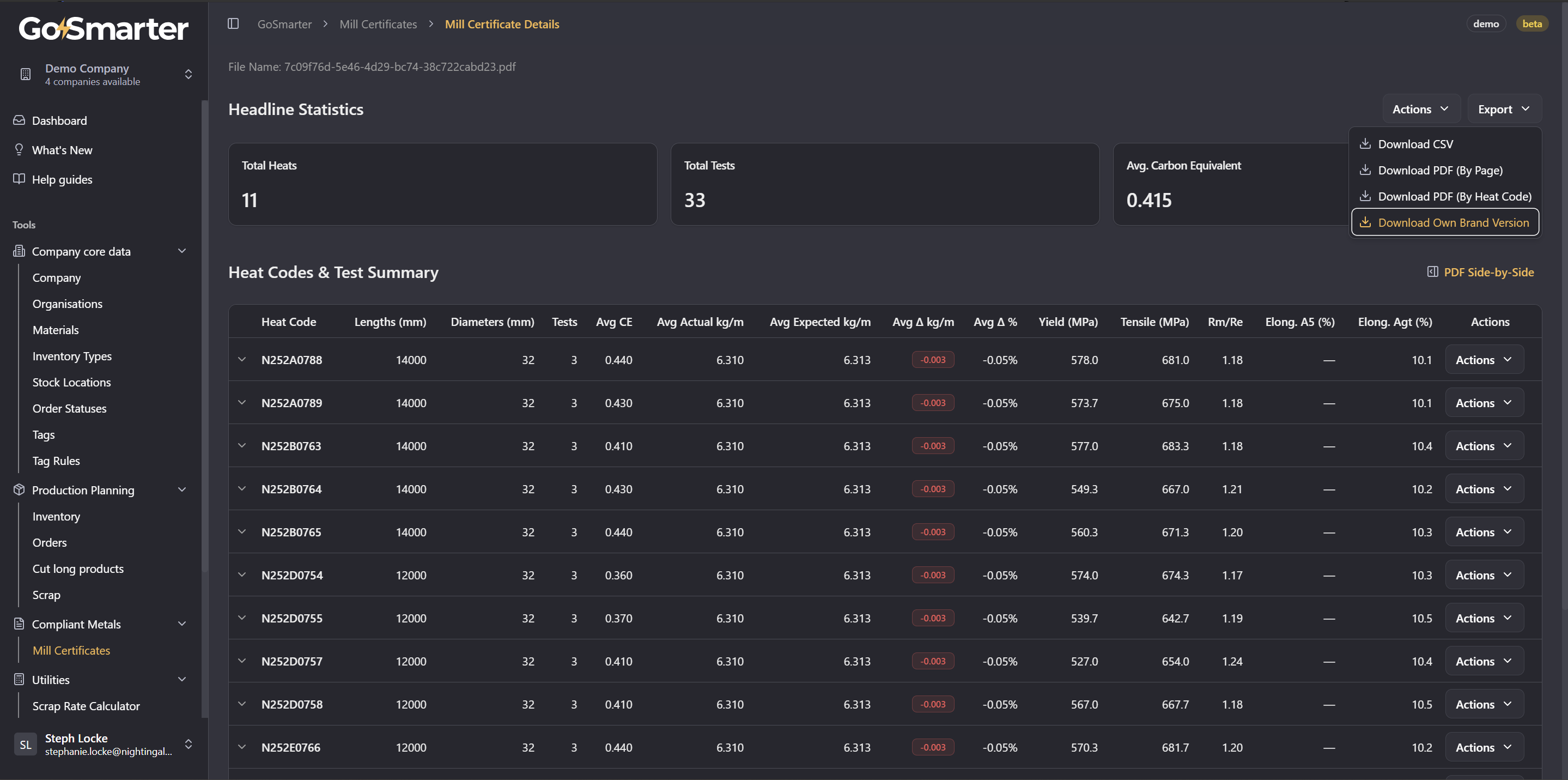
You can now generate a branded Material Test Certificate PDF directly from any ingested mill cert. Set up your branding once in Company Settings → Certificate Branding (logo, contact details, registration number, footer text), then download a branded PDF from the export menu on any mill certificate.
- Certificates not yet marked as Approved automatically carry a DRAFT watermark, so there's no risk of sending out an unapproved document by accident
- On the mill cert details page, each heat code row now has Download Own Brand (This Heat) and Download Original Page (This Heat) actions, so you can pull just the heats you need
- In the Inventory table, clicking a heat code link now gives you three options: navigate to the cert, download the original page, or download your branded version
- Every generated PDF includes a QR code linking back to the certificate on GoSmarter (for third-party verification soon)
What's next for this?
- We're going to ensure these can meet your EN 10204 3.1 and other standards reporting requirements for certificates.
- Making the certificate viewable read-only for unauthenticated users or users outside your company when provided with the link.
- Full traceability packs for orders that are own branded or supplier branded to reduce the compilation time for providing provenance to customers
We are actively seeking beta test customers who are keen to solve traceability problems with their metals. Reach out to us on talktous@gosmarter.ai if you're looking to test out improved processes for material test report handling.