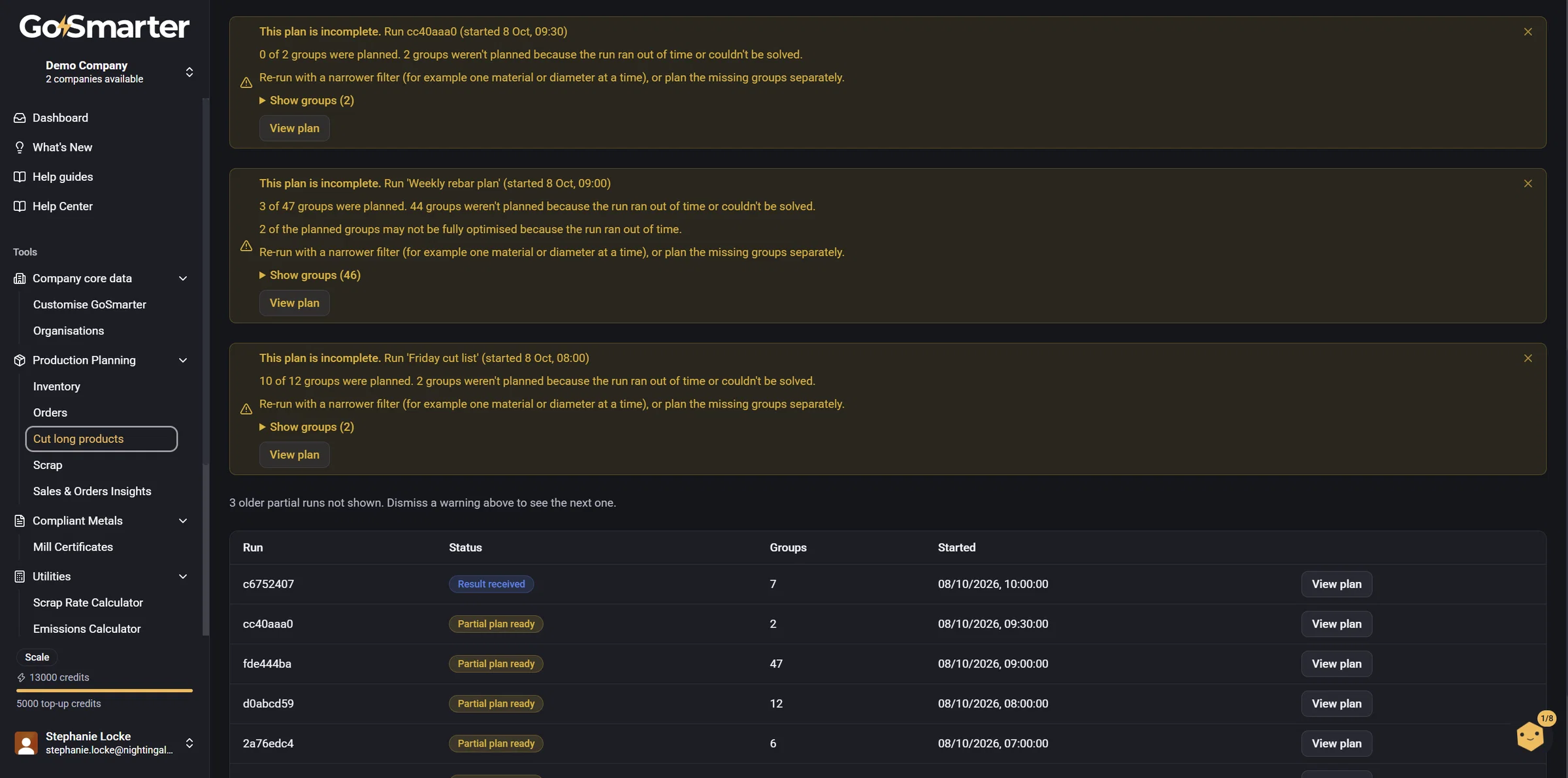
Clearer warnings when an optimisation run couldn't plan everything
Sometimes a production planning run runs out of time before it has planned every group of bars. Until now the plan just said "Partial plan ready" and left you to work out what was missing.
You'll now see a clear notice on the Production Plans page and on the plan itself. It says how many groups were planned and which weren't, in plain English (for example "20 mm B500B bar"), and suggests what to do next, such as re-running with a narrower filter. It also names the run it's about, so if you have several you can tell them apart. Open "Show groups" to see the full list.
If every group was planned but the search stopped early, the notice says the plan may not be fully optimised rather than incomplete.
Once you've read a notice you can dismiss it with the close button. It stays hidden for you after a refresh, and the same notice is hidden on both pages. Notices also disappear on their own once a plan is approved or discarded.