Add certs by hand and edit any cert in place
Not every mill certificate arrives ready for the AI. Sometimes it's a photo, a handwritten form, or data from a supplier who sent it in a different format altogether. Until now, there was no way to get that data into GoSmarter without going through the upload pipeline.
Head to Mill Certs and use the new Create Manual option. Upload the PDF, fill in the supplier and certificate details, and add as many heats and test results as you need.
Editing is easier too. Open any certificate's detail page, click Edit in the actions menu, and everything becomes editable right there alongside the PDF. You can correct a value, add a heat that was missed, or remove one that shouldn't be there and nothing is sent until you click Save Changes.
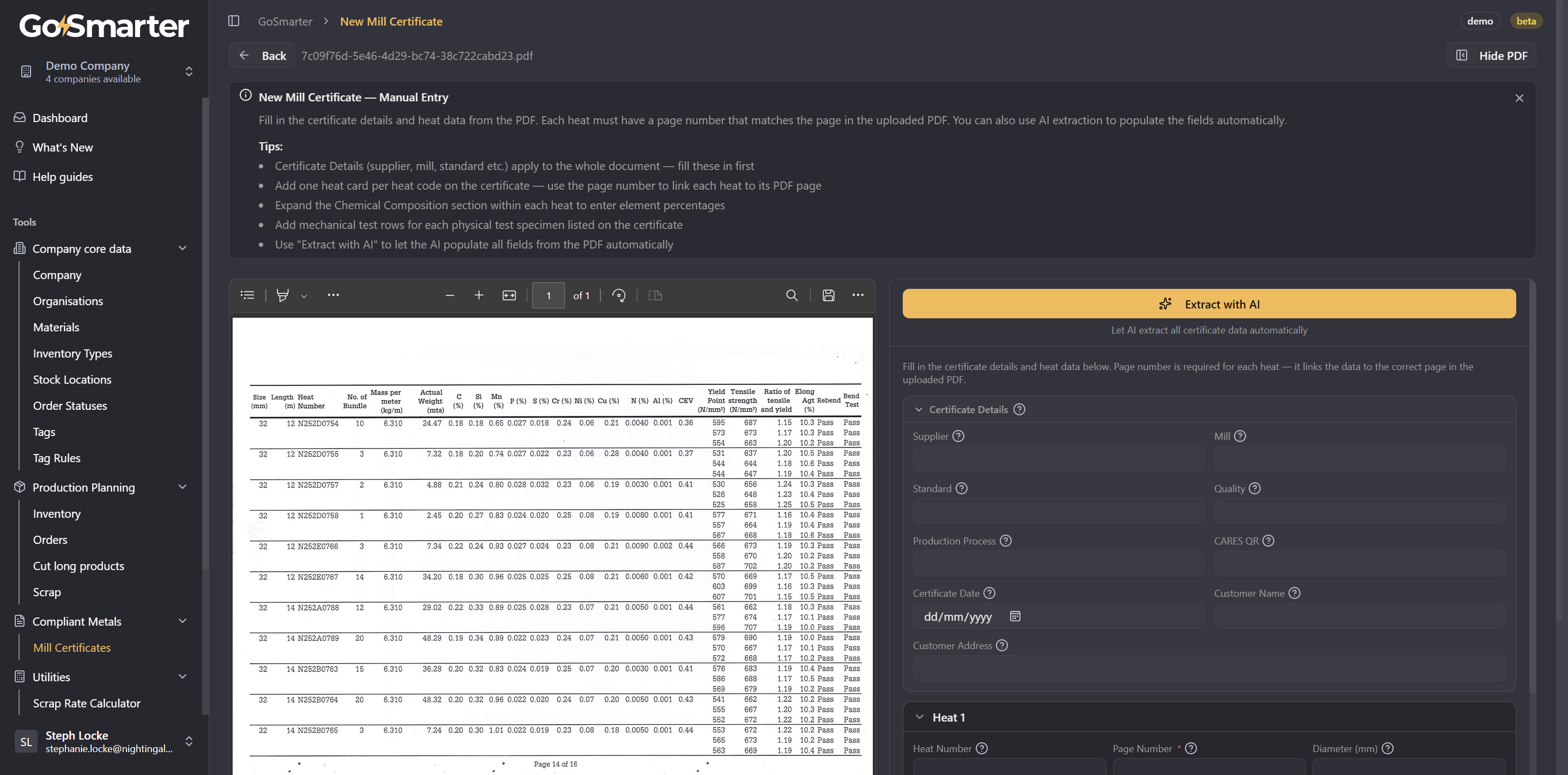
PS Tutorial mode can make tabbed editing require a few too many presses as the tooltips are in order for top accessibility. You can turn off tutorial mode at any time by clicking the x on the info sections or by clicking on your name and toggling tutorial mode there.